Of all VMware deployments, only about a third use VMware’s own storage; roughly two thirds run on external storage. Those organizations have invested heavily in SAN arrays that are paid for, full of data and tied to procurement cycles. In this webinar we showed how whitesky.cloud runs virtual machines directly on the servers and SAN arrays you already own, with storage tiers you define yourself.
Watch the full recording below, or read along: every section links to its moment in the video.
- whitesky.cloud in one slide ▶ 1:39
- Leaving VMware, keeping the storage ▶ 4:57
- How it works: if you know VMFS, you know this ▶ 6:11
- Keep the array, lose VMware (screencast) ▶ 8:31
- Storage tiers on your own SAN (screencast) ▶ 12:09
- Performance: snapshots cost next to nothing ▶ 16:05
- Grow and protect (screencast) ▶ 18:18
- What you need and how to start ▶ 21:41
- Questions and answers ▶ 23:15
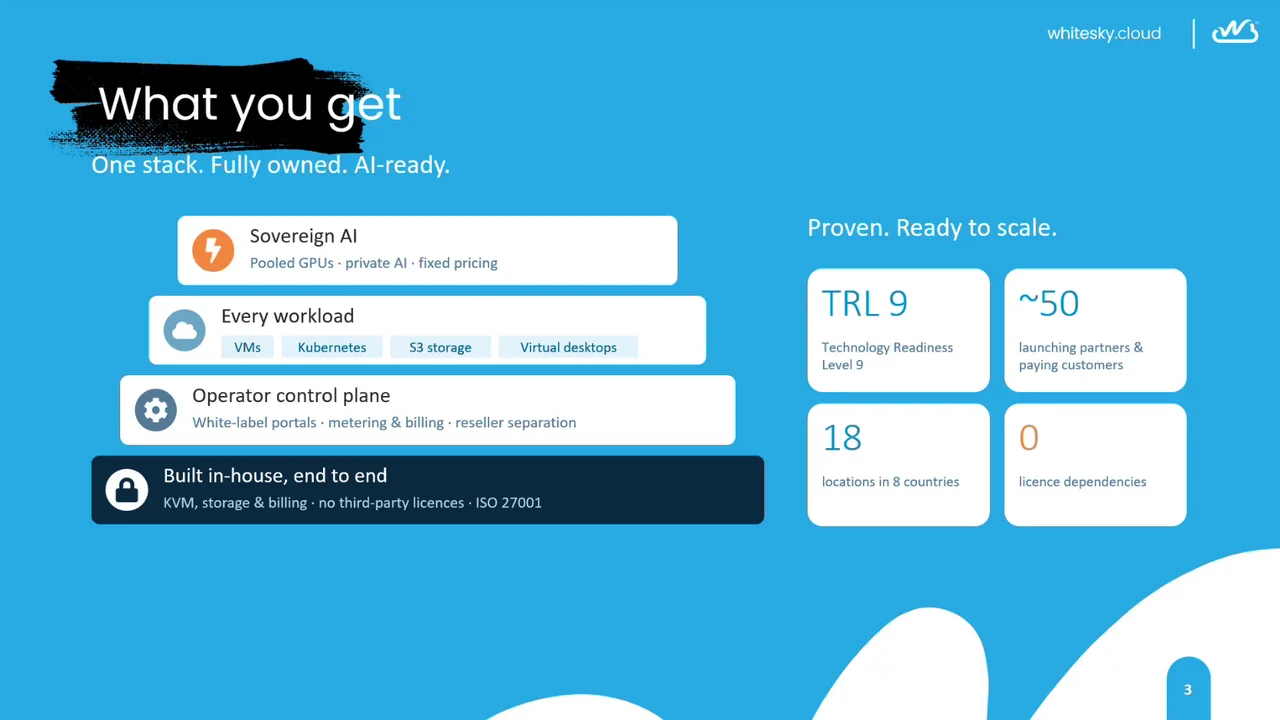
What you get: one stack, fully owned, AI-ready
whitesky.cloud was founded in 2020. The whole stack is built in-house, end to end, and runs on your own hardware in the location of your choice. That turns the hardware owner into a Cloud Enabler. On top, Virtual Cloud Operators (MSPs and system integrators) sell cloud under their own brand, picking capacity from the federated grid of Cloud Enabler locations without investing in hardware or colocation themselves. It’s the wholesale model telecom knows as MVNE and MVNO, applied to cloud.
- Built in-house: KVM, storage and billing, with no third-party licences. whitesky.cloud is ISO 27001 certified.
- Operator control plane: white-label portals, metering and billing, and reseller separation.
- Every workload: virtual machines, Kubernetes, S3 storage and virtual desktops.
- Sovereign AI: pooled GPUs and private AI with fixed pricing.
Proven, and ready to scale: Technology Readiness Level 9, around 50 launching partners and paying customers, 18 locations in production in 8 countries on three continents, and 0 licence dependencies.
Leaving VMware, keeping the storage
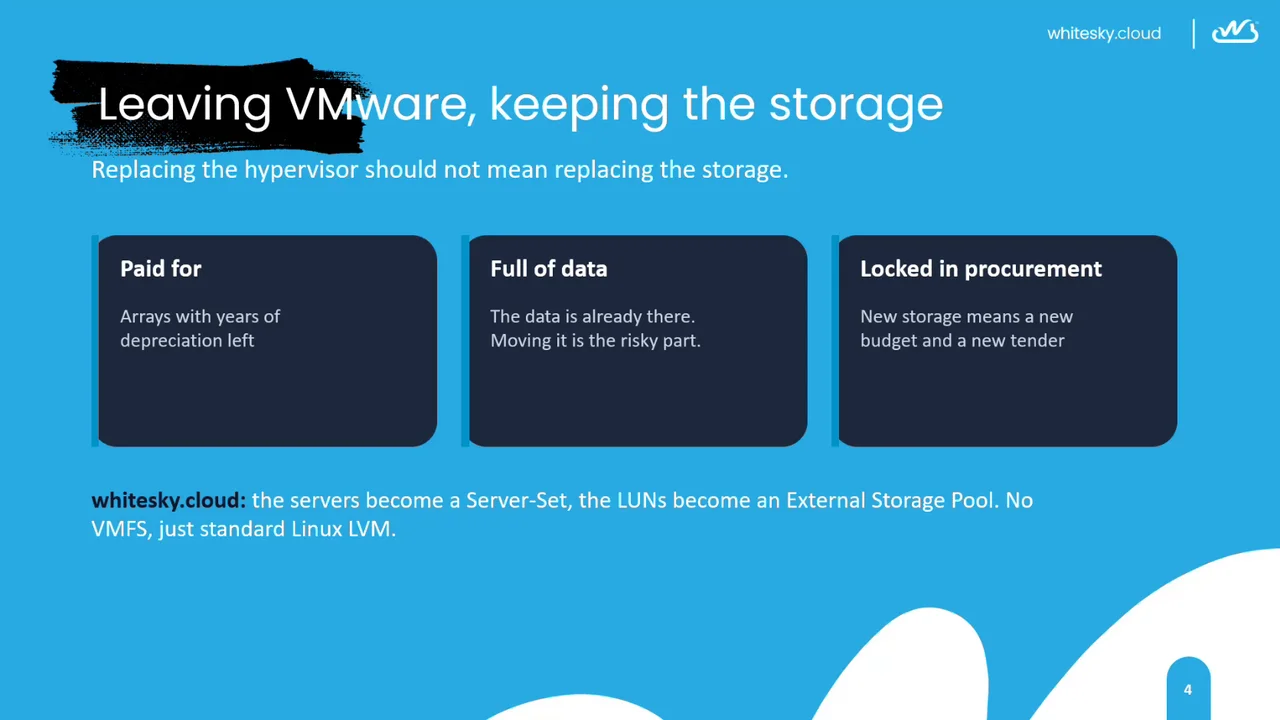
Since Broadcom acquired VMware and changed the licensing, many organizations are looking for an alternative. Their servers are good for years to come, and so is their SAN. Replacing the hypervisor should not mean replacing the storage. For many organizations the SAN is:
- Paid for: arrays with years of depreciation left.
- Full of data: the data is already there, and moving it is the risky part.
- Locked in procurement: new storage means a new budget and a new tender.
With whitesky.cloud, the servers become a Server-Set and the LUNs become an External Storage Pool. No VMFS, just standard Linux LVM.
How it works: if you know VMFS, you know this
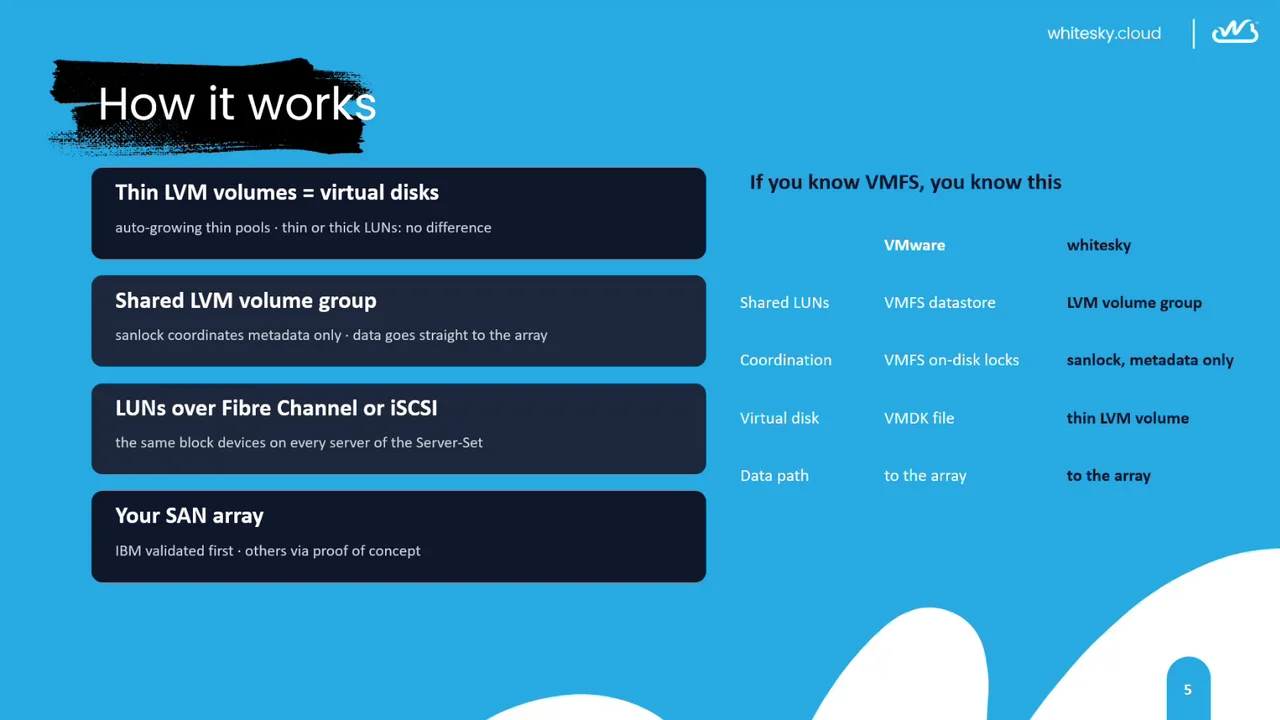
We didn’t invent a new cluster file system or build our own VMFS. Instead we tested combinations of proven open-source Linux technologies for the best mix of performance and data availability on SAN arrays. From the array up:
- Your SAN array: validated first on IBM, other arrays via a proof of concept.
- LUNs over Fibre Channel or iSCSI: the same block devices on every server of the Server-Set.
- A shared LVM volume group: sanlock coordinates the metadata only; the data goes straight to the array.
- Thin LVM volumes are the virtual disks: auto-growing thin pools, so thin or thick LUNs make no difference.
There is no file system layer between your SAN and the virtual disk of a VM. Only metadata changes, such as growing a volume, are coordinated between the hosts, one at a time, and those are rare.
| VMware | whitesky | |
|---|---|---|
| Shared LUNs | VMFS datastore | LVM volume group |
| Coordination | VMFS on-disk locks | sanlock, metadata only |
| Virtual disk | VMDK file | thin LVM volume |
| Data path | to the array | to the array |
1. Keep the array, lose VMware
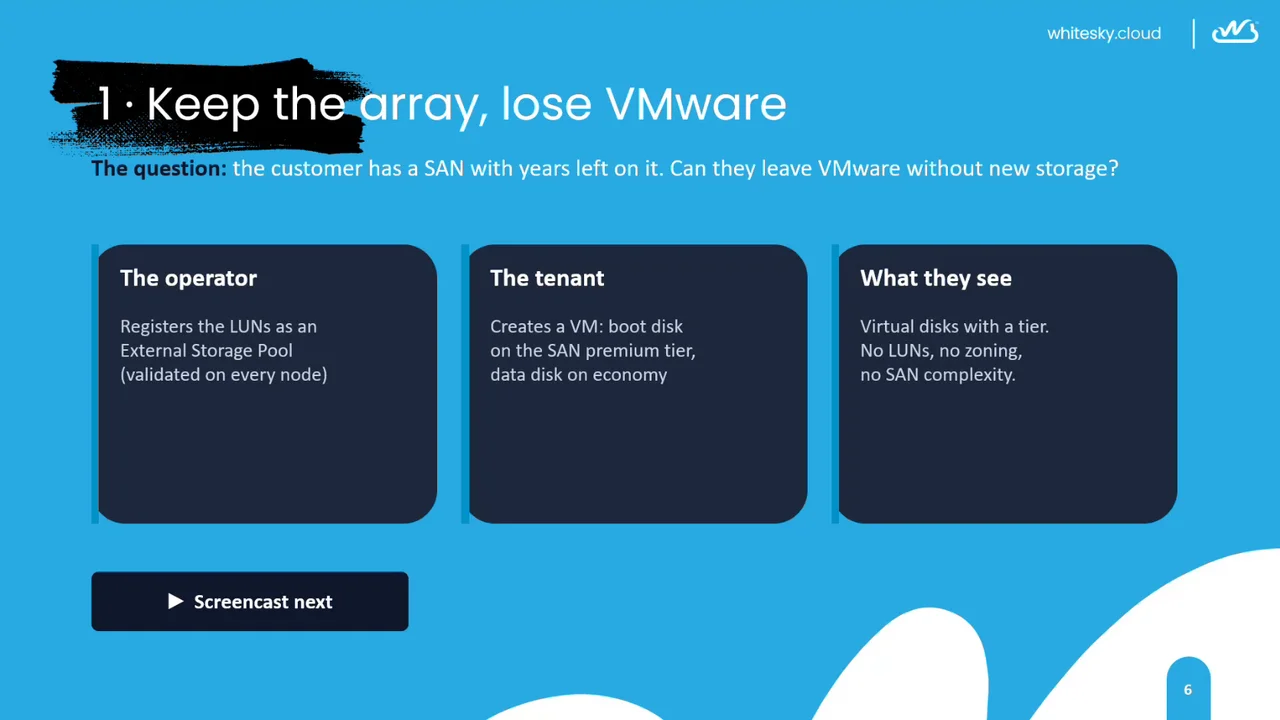
The question: the customer has a SAN with years left on it. Can they leave VMware without new storage?
- The operator registers the LUNs as an External Storage Pool, validated on every node.
- The tenant creates a VM with its boot disk on the SAN premium tier and its data disk on economy.
- What they see: virtual disks with a tier. No LUNs, no zoning, no SAN complexity.
Portal users never see the infrastructure. They create a VM and choose between storage classes, which are implemented on LUNs of your array under the hood.
In the screencast, the cloud operator registers the array’s LUNs in the operator portal; whitesky builds the pool on all nodes in about three minutes. Then Meridian Logistics, a customer of the VCO Dynagrid, creates the VM erp-app01 on portal.dynagrid.tech: a 20 GiB boot disk on SAN premium and a 500 GiB data disk on SAN economy.
2. Storage tiers on your own SAN
Storage classes: tiers you define
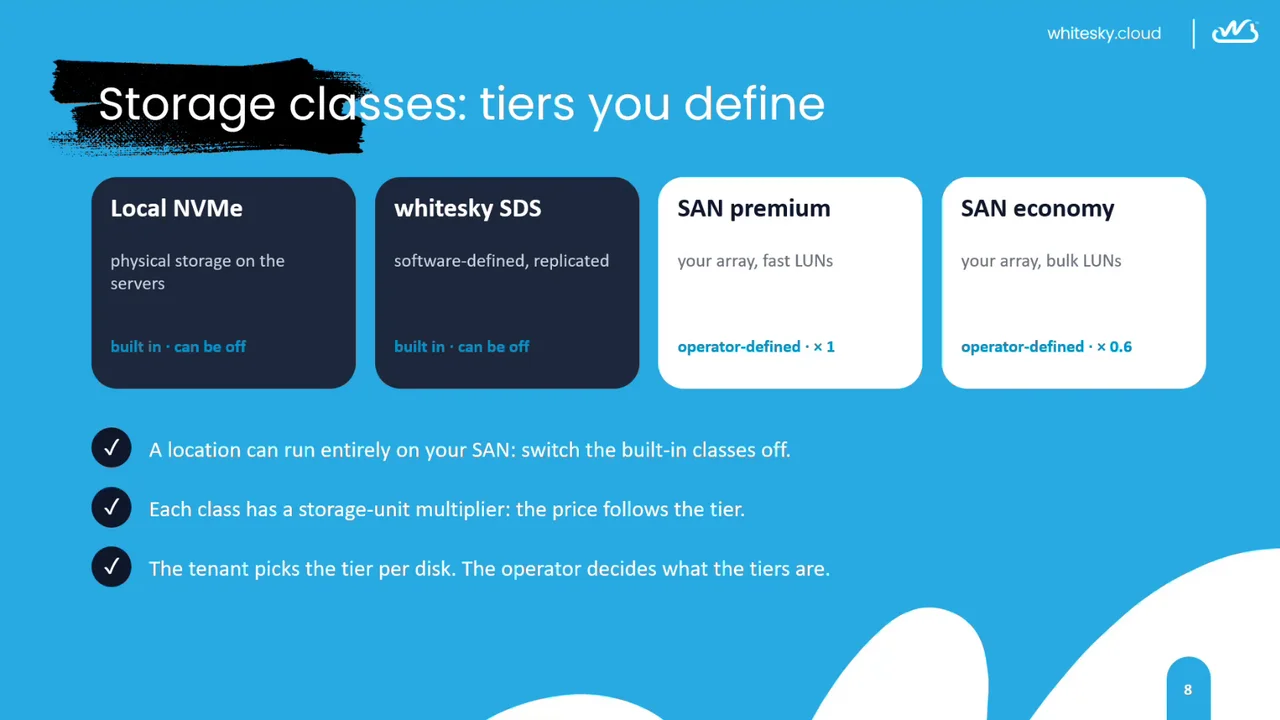
A location can offer four kinds of storage class:
- Local NVMe: physical storage on the servers. Built in, can be switched off.
- whitesky SDS: software-defined storage, comparable to vSAN, using erasure coding for efficiency. Built in, can be switched off.
- SAN premium: your array, fast LUNs. Operator-defined, storage-unit multiplier × 1.
- SAN economy: your array, bulk LUNs. Operator-defined, multiplier × 0.6.
You can add a storage class for any block storage that can be connected to several compute nodes at the same time.
A location can run entirely on your SAN: switch the built-in classes off. Each class has a storage-unit multiplier, so the price follows the tier. The tenant picks the tier per disk; the operator decides what the tiers are.
One array, two tiers, two prices
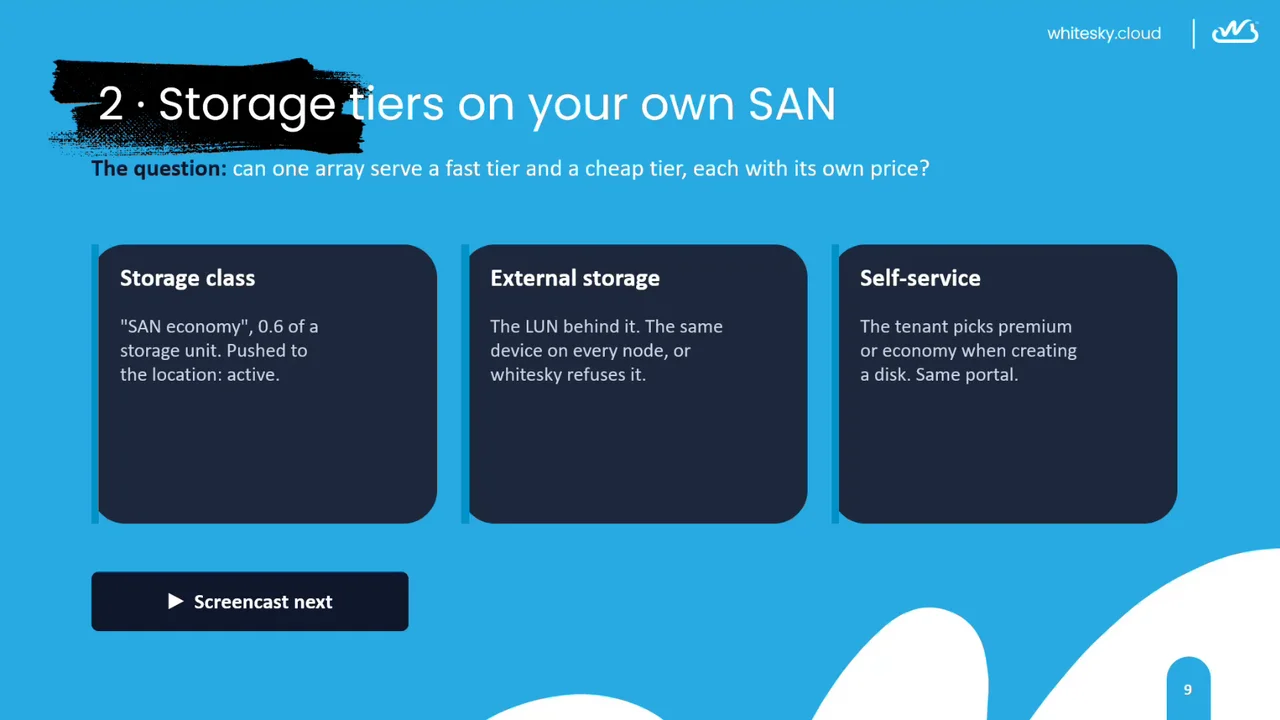
The question: can one array serve a fast tier and a cheap tier, each with its own price?
- Storage class: “SAN economy”, at 0.6 of a storage unit, pushed to the location and active.
- External storage: the LUN behind it. It must be the same device on every node, or whitesky refuses it.
- Self-service: the tenant picks premium or economy when creating a disk, in the same portal.
Performance: snapshots cost next to nothing
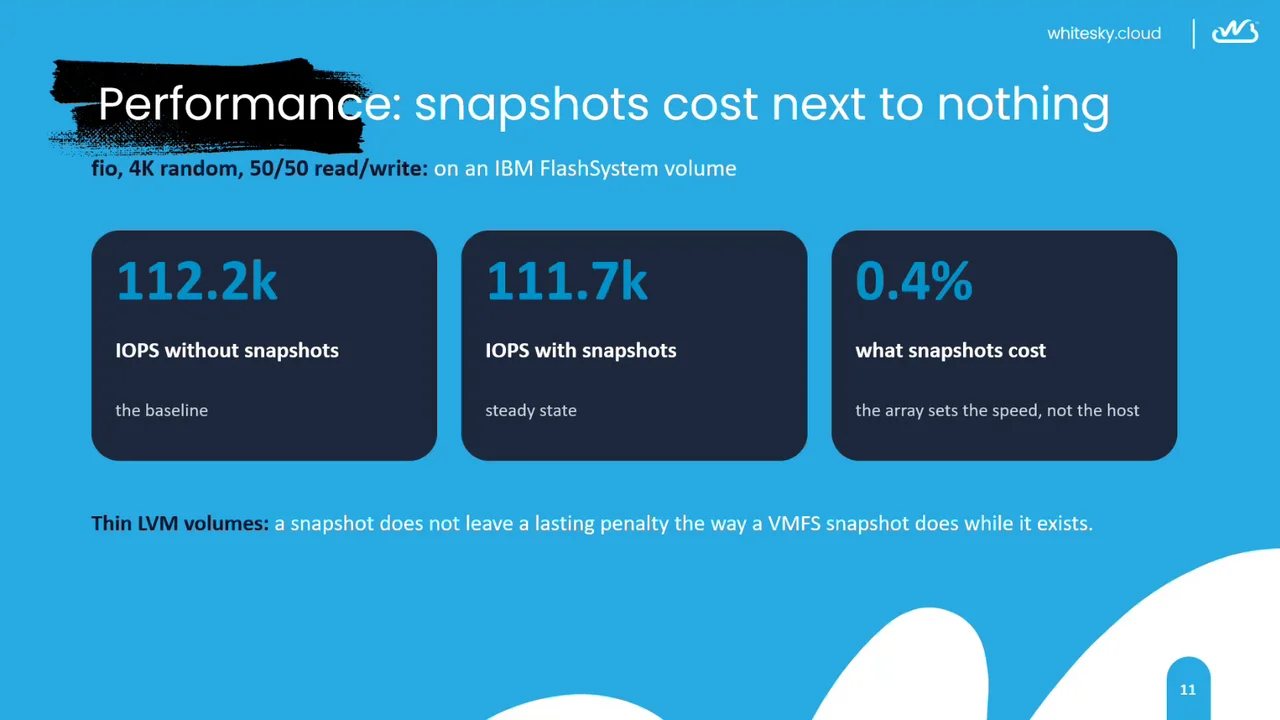
Measured with fio (4K random, 50/50 read/write) on an IBM FlashSystem volume:
- 112.2k IOPS without snapshots: the baseline.
- 111.7k IOPS with snapshots, in steady state.
- 0.4%: what snapshots cost. The array sets the speed, not the host.
Right after a snapshot is created there is a short catch-up of 10 to 20 seconds; then the virtual disk is back at steady-state performance. Thin LVM volumes mean a snapshot does not leave a lasting penalty, the way a VMFS snapshot does while it exists.
Measured directly on the host, the same volumes reached 122k IOPS. The gap comes from the single I/O thread a VM gets today; future releases can configure more I/O threads for VMs that need that extra performance.
3. Grow and protect
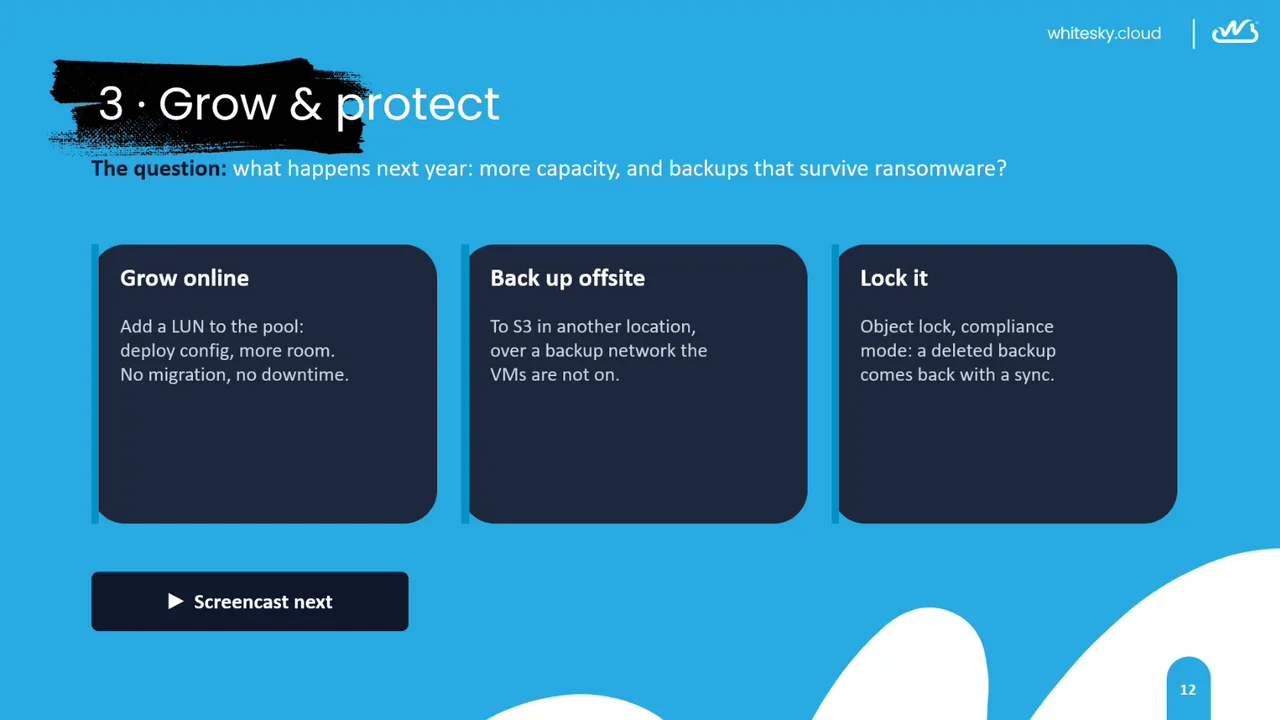
The question: what happens next year: more capacity, and backups that survive ransomware?
- Grow online: add a LUN to the pool and deploy the config for more room. No migration, no downtime.
- Back up offsite: to S3 in another location, over a backup network the VMs are not on.
- Lock it: object lock in compliance mode, so a deleted backup comes back with a sync.
Backups leave the building
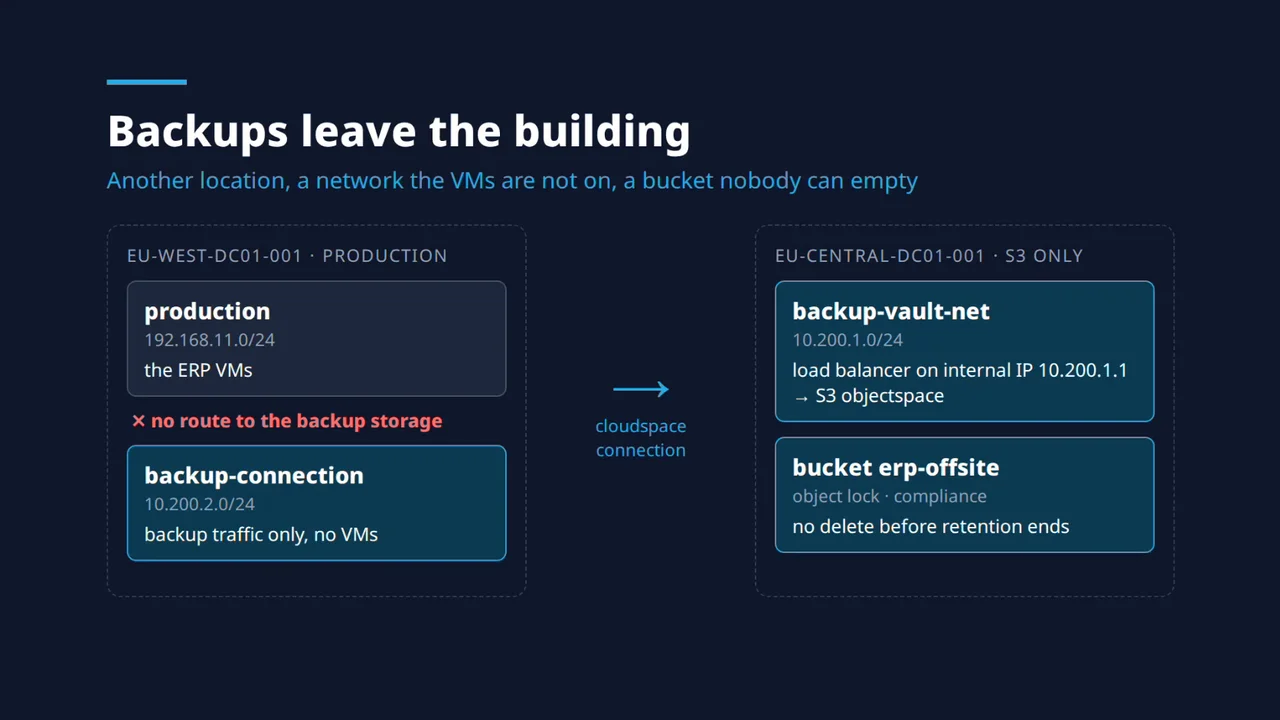
The production VMs run in the production cloudspace in EU-WEST-DC01-001. They have no route to the backup storage. A separate backup-connection cloudspace carries backup traffic only, with no VMs on it. A cloudspace connection links it to backup-vault-net in EU-CENTRAL-DC01-001, an S3-only location, where a load balancer on an internal IP fronts the S3 objectspace. The bucket erp-offsite uses object lock in compliance mode, so nothing can be deleted before the retention period ends.
What you need and how to start
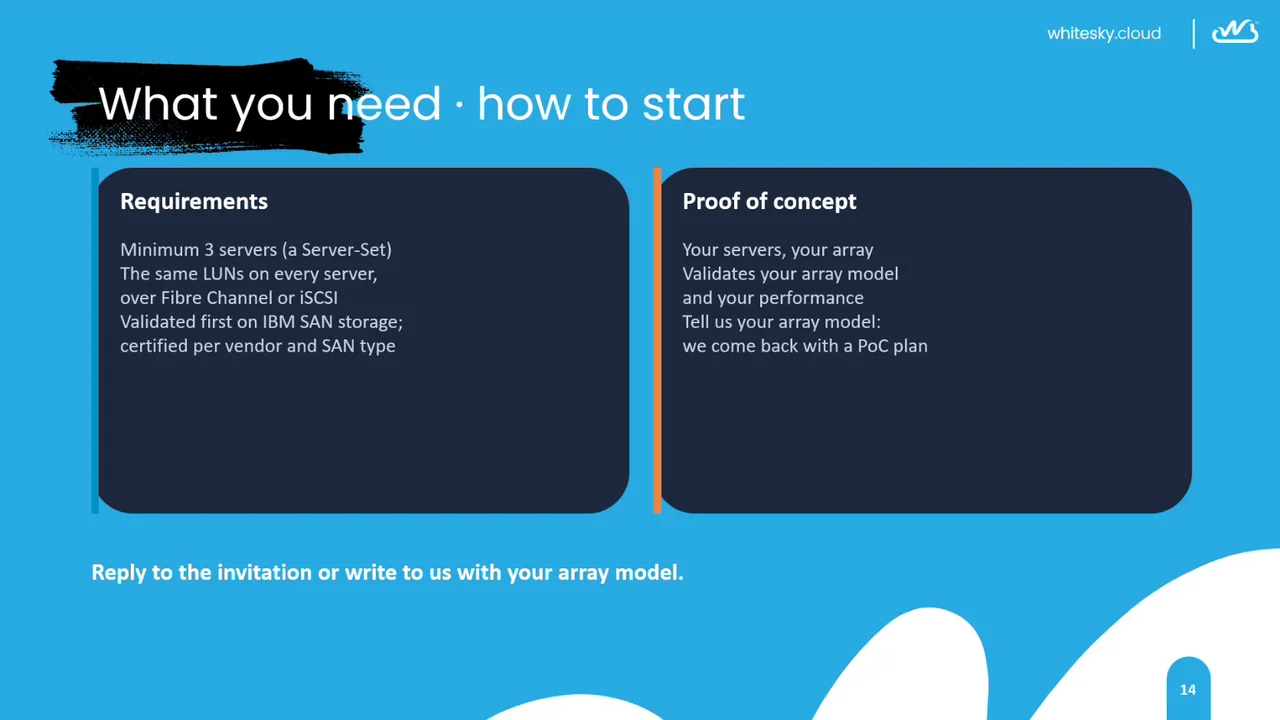
Requirements
- A minimum of 3 servers (a Server-Set).
- The same LUNs on every server, over Fibre Channel or iSCSI. A single LUN connected to every server is enough to get started.
- Validated first on IBM SAN storage (IBM FlashSystem); compatibility is certified per vendor and SAN type. whitesky uses no exotic technology, so other block storage should work too; a proof of concept confirms it.
Proof of concept
Your servers, your array. A proof of concept validates your array model and your performance. Tell us your array model and we come back with a PoC plan.
Questions and answers
Is iSCSI supported? Yes. Connect your iSCSI target to each of the compute nodes. The resulting local block device on every node can then be added to an External Storage Pool.
Start your proof of concept
Tell us your array model and we come back with a proof-of-concept plan: request a demo. Read more about external storage arrays, storage classes and migrating from VMware.